
For example if we have a situation where the customer wants to increase the storage pool for GR from 840G to 1000G.
On the main site there is:
StorageHost-2 ~ # zpool list
NAME SIZE ALLOC FREE CKPOINT EXPANDSZ FRAG CAP DEDUP HEALTH ALTROOT
NETSTOR 1.73T 749G 1.00T - - 67% 42% 1.00x ONLINE -
SYSTEM-97dc 222G 18.6G 203G - - 3% 8% 1.00x ONLINE -
While on the GR site there is:
StorageHost-1 ~ # zpool list
NAME SIZE ALLOC FREE CKPOINT EXPANDSZ FRAG CAP DEDUP HEALTH ALTROOT
NETSTOR 1.73T 847G 929G - - 58% 47% 1.00x ONLINE -
SYSTEM-749b 222G 19.5G 203G - - 5% 8% 1.00x ONLINE -
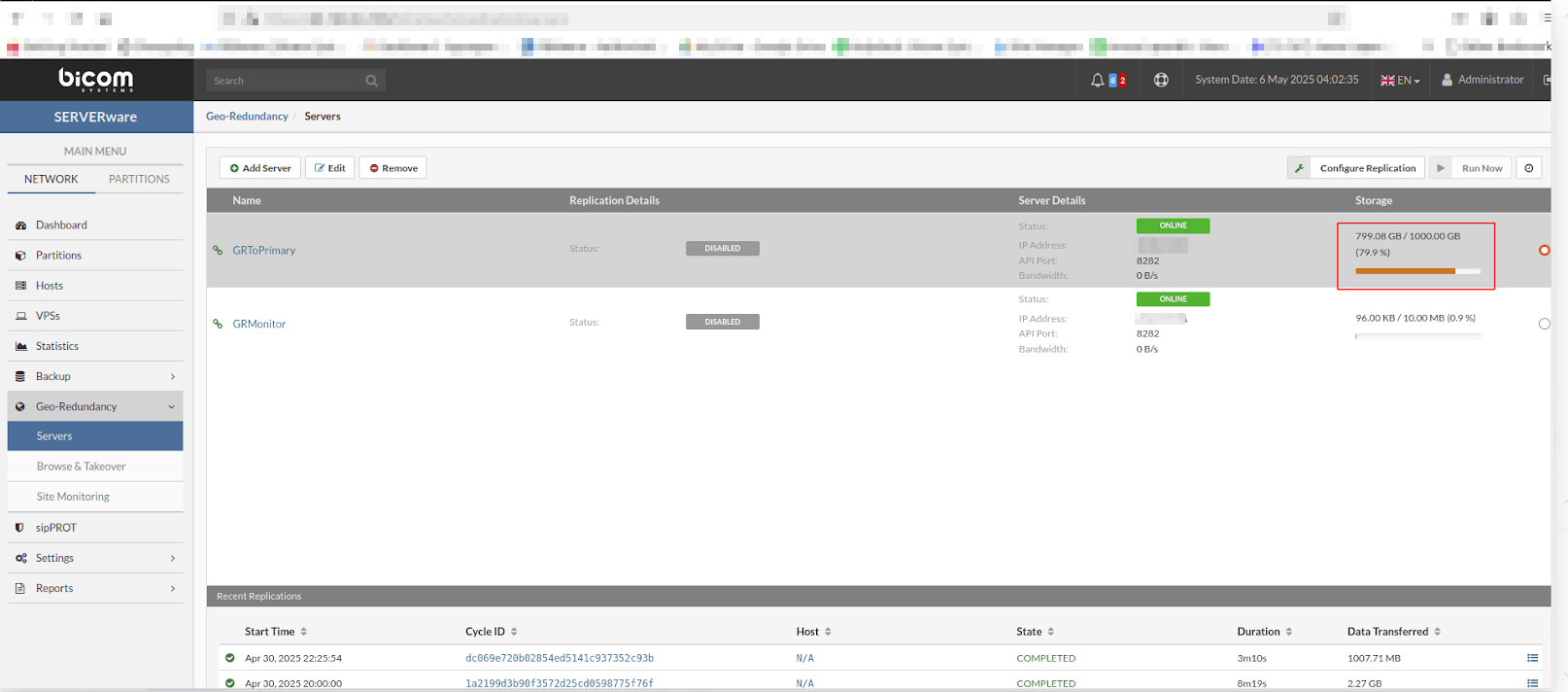
In the GUI on the main site, the following is displayed
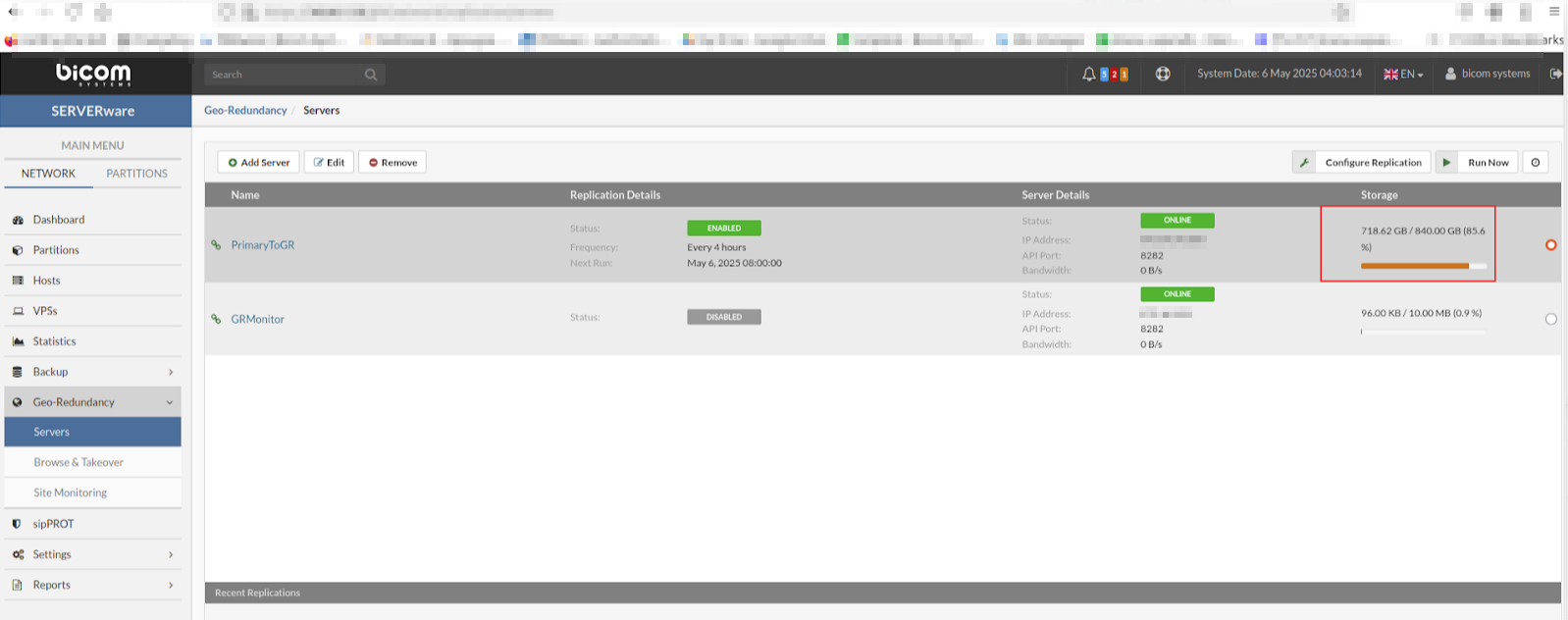
And on the GR site:
SSH into the GR server (the primary storage host) and execute the following command:
zfs list -t all to check what we currently have.
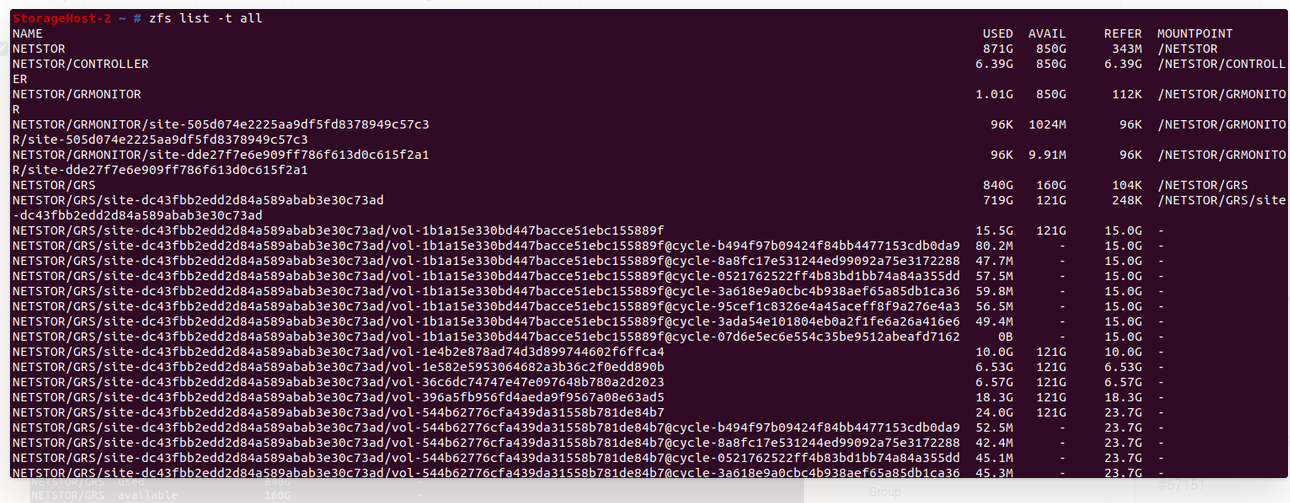
Zpool list command will show the total free space for NETSTOR pool. In this case, there is 1T of free storage space for NETSTOR pool.
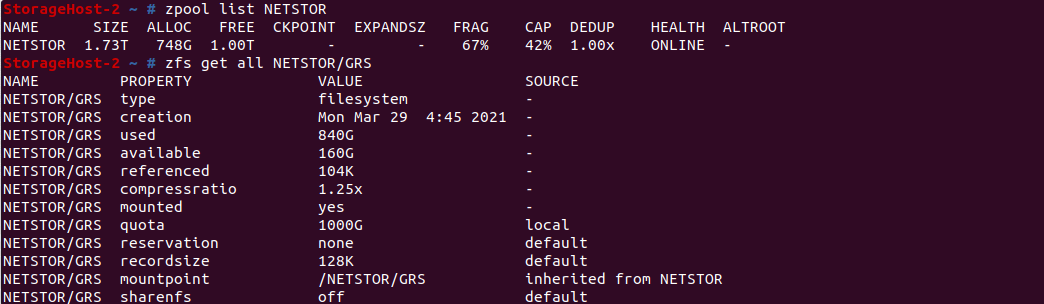
The command zfs get all NETSTOR/GRS displays all properties and settings of the ZFS dataset named NETSTOR/GRS, including space usage, compression, mount point, and more.
We will check it now for our site (site-dc43fbb2edd2d84a589abab3e30c73ad)
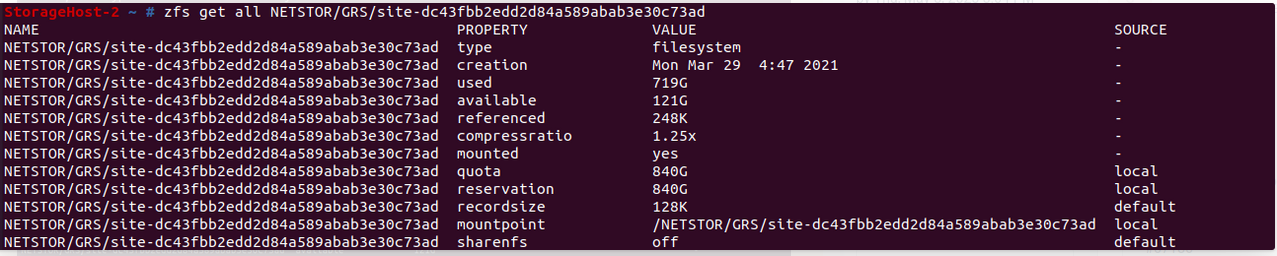
So, we can see that the quota for the site in question is set to 840 G. To change it, use command:
zfs set quota=1000G NETSTOR/GRS/site-dc43fbb2edd2d84a589abab3e30c73ad
There could be a need to set reservation as well and the command for this would be:
zfs set reservation=1000G NETSTOR/GRS/site-dc43fbb2edd2d84a589abab3e30c73ad
In my case I did not change this, and we should pay attention to the available free space on the host in case we want to change it.
NOTE: The site id should be changed as per the needs.
If we execute the command zfs get all again, we will see the updated quota value.

Once done, when you navigate to the main site, under Geo redundancy - Servers, the new value should be shown.
However, the change must be done in swrepl-adm CLI tool as well.
For accessing swrepl-adm tool use command:
Swrepl-adm
With command site list we will be able to see the list of sites:
site list
ID | INFO | ADMIN | STORAGE | QUOTA | THROTTLING
+------------+-----------------+-------+-------------------+-----------+------------+
18a9225... | Monitoring | true | NETSTOR/MONITOR | 1.0 MiB | 0 B/s
+------------+-----------------+-------+-------------------+-----------+------------+
dc43fbb... | GR Site | true | NETSTOR/GRS | 840.0 GiB | 70.0 MiB/s
+------------+-----------------+-------+-------------------+-----------+------------+
dde27f7... | GR Monitor site | true | NETSTOR/GRMONITOR | 10.0 MiB | 10.0 MiB/s
+------------+-----------------+-------+-------------------+-----------+------------+
To check the information related to the site we should update, use command site list. In my case it will be:
site list dc43fbb2edd2d84a589abab3e30c73ad
ID: dc43fbb2edd2d84a589abab3e30c73ad
Description: GR Site
Admin: true
API Key: 64d74825808d0d1c3cf2f03b30cd2886
Storage: NETSTOR/GRS
Quota: 840.0 GiB
Throttling: 70.0 MiB/s
Allowed IPs: 0.0.0.0/0
For example, if we want to update the site and change the quota to 1000G, it can be done like this:
site update dc43fbb2edd2d84a589abab3e30c73ad -quota=1000GB
OK
Now, if we execute the command site list again, we will see:
site list dc43fbb2edd2d84a589abab3e30c73ad
ID: dc43fbb2edd2d84a589abab3e30c73ad
Description: GR Site
Admin: true
API Key: 64d74825808d0d1c3cf2f03b30cd2886
Storage: NETSTOR/GRS
Quota: 1000.0 GiB
Throttling: 70.0 MiB/s
Allowed IPs: 0.0.0.0/0

With this the procedure for increasing the storage for GR site is finished.