
Let’s say you encounter a situation where a customer has restarted their VPS, but services are not coming back online for an extended period and you see start processes when you execute ps fax command. This could happen if MySQL is performing crash recovery. However, if you see log messages like the following in the MySQL log:
InnoDB: Progress in percent: 53 54 55 56 57 58 59 60 61 62 63 64 65 66 67 68 69 70 71 72 73 74 75 76 77 78 79 80 81 82 83 84 85 86 87 88 89 90 91 92 93 94 95 96 97 98 99
2024-10-28T15:39:03.002535Z 0 [ERROR] Another process with pid 1069 is using unix socket file.
2024-10-28T15:39:03.003688Z 0 [ERROR] Unable to setup unix socket lock file.
2024-10-28T15:39:03.003702Z 0 [ERROR] Aborting
This indicates that another process is using the MySQL socket file, preventing MySQL from starting. If you navigate to:
/opt/pbxware/pw/var/run/mysqld
and check mysqld.sock.lock (e.g., by running cat mysqld.sock.lock), you will see that it contains the same PID as in the log.
To resolve the issue, stop the PBXware services. You will likely need to terminate processes by using the kill -9 #PID command. For example: kill -9 1053
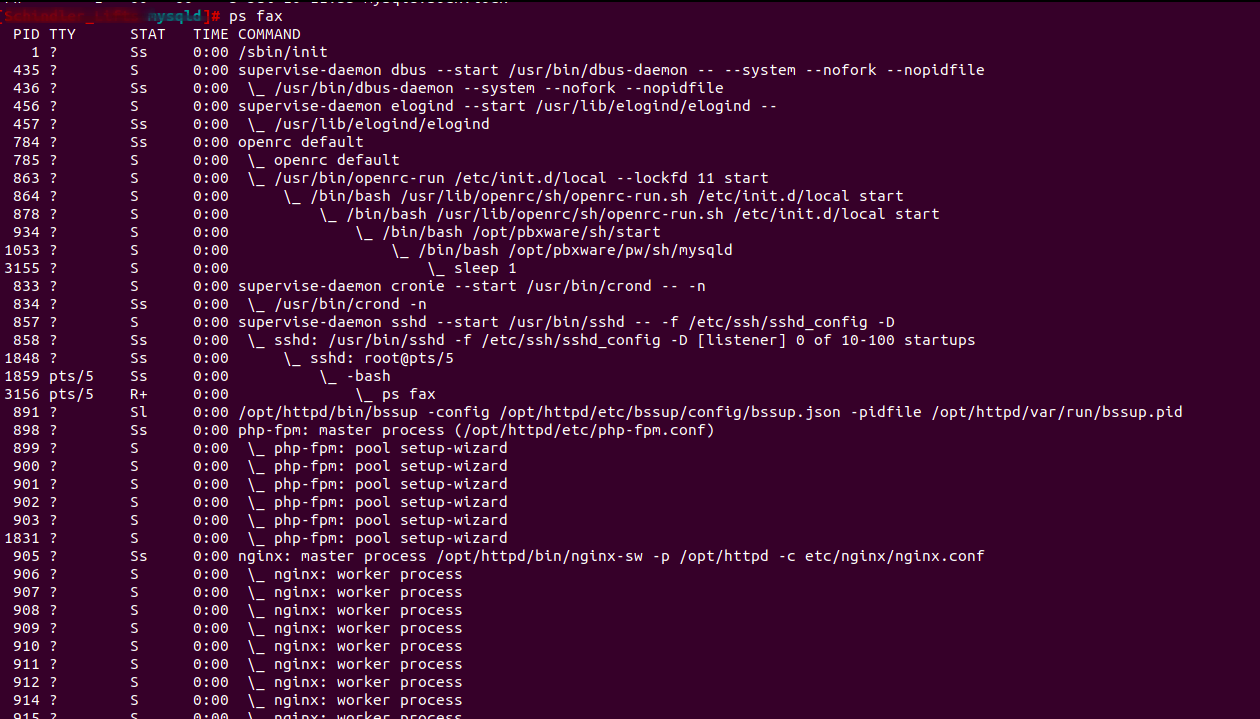
Terminate any running start processes and confirm with ps fax to ensure all PBXware services are stopped. Once confirmed, navigate to:
/opt/pbxware/pw/var/run/mysqld
and delete mysqld.sock.lock file. Afterward, try starting PBXware again and monitor the MySQL log. It should be fine.