
With the SERVERware version 5.1 comes a re-design of a feature called Storage.
The idea behind the feature is for the SERVERware admins to have clearer picture about the Storage settings.
If you navigate to the following path:
Network --> Settings --> Storage
you will be able to open the "Storage" dashboard.
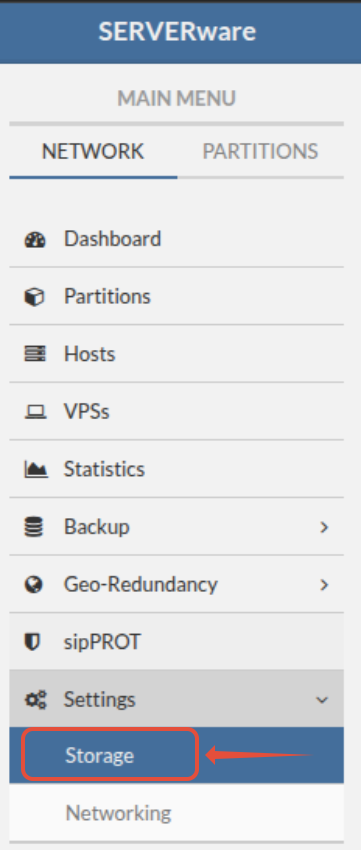
Settings that were previously on the "Advanced' submenu are moved to the "General" submenu and the "Advanced" submenu has been deprecated.
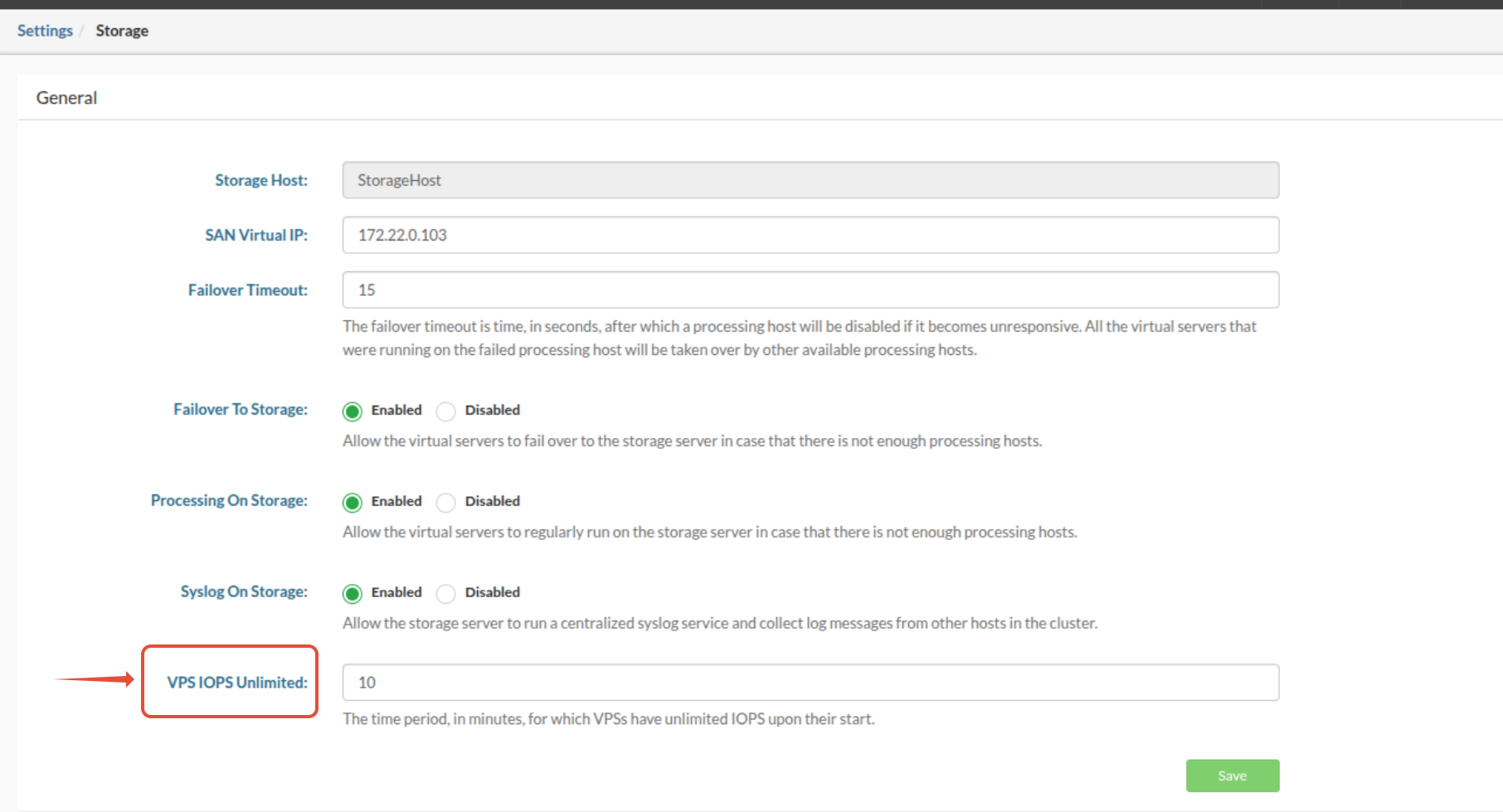
You will be able to see all the settings that were in the "Advanced" menu.
Failover Timeout - timeout time after which processing host will become disabled it if becomes unresponsive. All the VPSes running on the host, will be taken over by other available host. Default value is now set at 30 seconds.
Failover To Storage - Allow the virtual servers to fail over to the storage server in case that there is not enough processing hosts.
Processing On Storage - Allow the virtual servers to regularly run on the storage server in case that there is not enough processing hosts.
Syslog On Storage - Allow the storage server to run a centralized syslog service and collect log messages from other hosts in the cluster.
There is one more new feature called "VPS IOPS Unlimited".

The idea behind the "VPS IOPS Unlimited" feature is to allow an interval of time in which VPS can have unlimited IOPS. The period in which is the most effective is when the VPS is starting and there are operations related to the database.
Value granulation is defined in minutes.
Default value is 10 min.
It can be set as a global value, for the whole system - the VPS IOPS Unlimited value under this submenu.
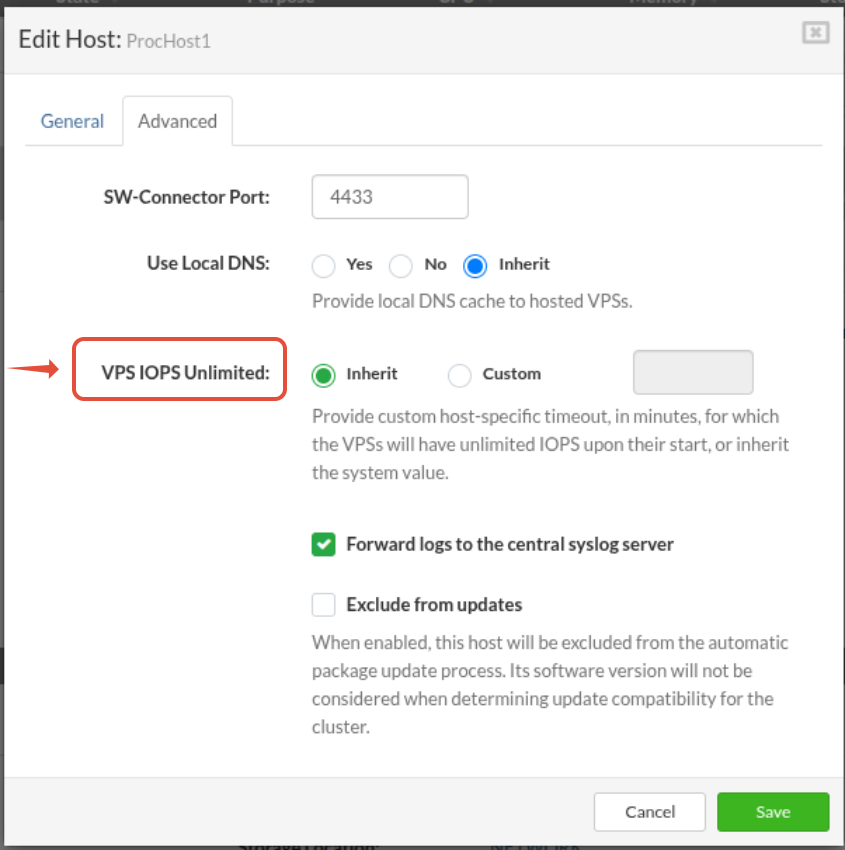
It can also be set per Host - under a Host for all the VPS-es from that host.
If we navigate to:
Network --> Hosts --> Select a host --> Edit
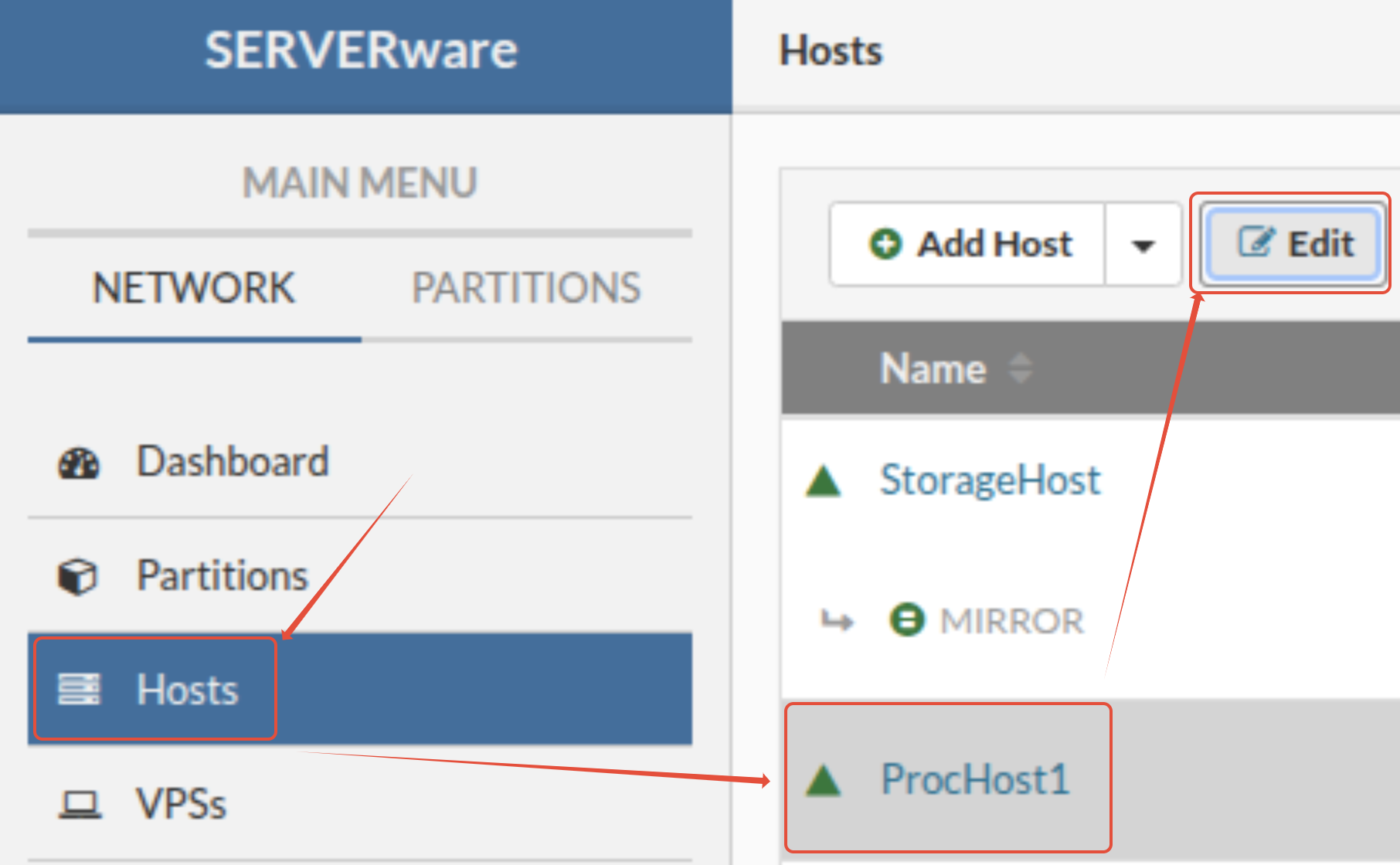
we will be prompted with a new pop-up window with the information about the host.
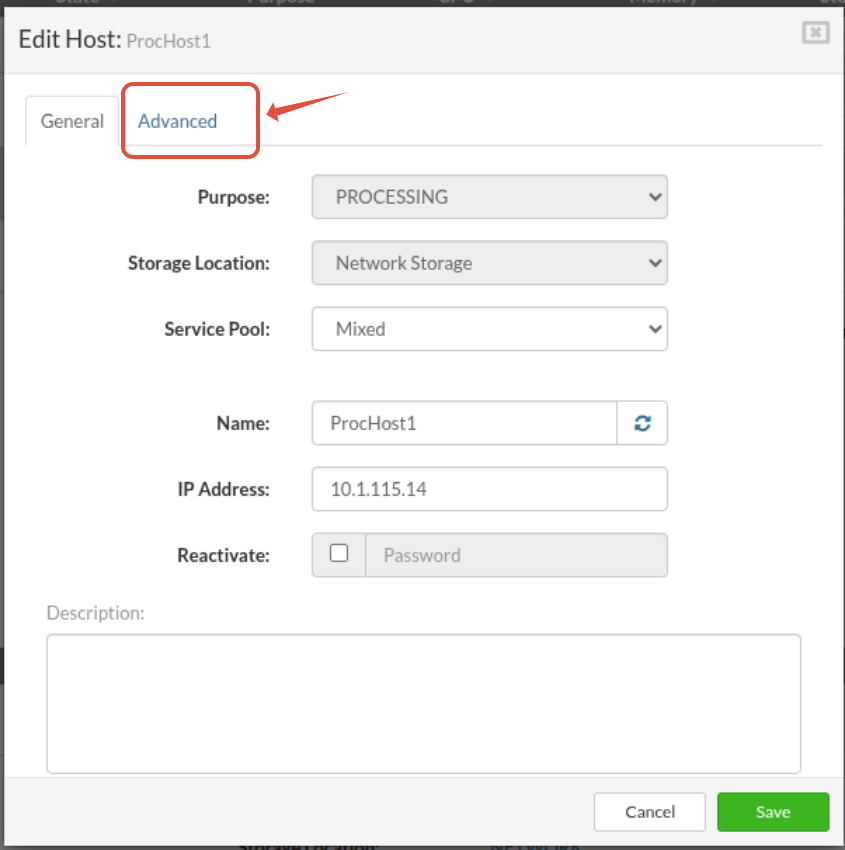
If we click on the "Advanced" submenu, we will be prompted with a new pop-up window with the information about the host.
There is "VPS IOPS Unlimited" field which can have two values:
- Inherit - to inherit the value set under the General Storage section.
- Custom - to override the value set under the General Storage section.
If we now try to start a stopped VPS, and monitor the logs from the host we will see:
Apr  4 13:34:21 ProcHost1 sw-connector[31735]: INFO: 'startVPS' <= '[FE8F:183:F218:CE30:6FE7:3082:9E67:56E6%MAN]:41728'
Apr  4 13:34:28 ProcHost1 swd[30431]: [ info  ] Re-balancing CPU cores among running containers ...
Apr  4 13:34:28 ProcHost1 kernel: br0: port 9(veth2mpOTE) entered blocking state
Apr  4 13:34:28 ProcHost1 kernel: br0: port 9(veth2mpOTE) entered disabled state
Apr  4 13:34:28 ProcHost1 kernel: device veth2mpOTE entered promiscuous mode
Apr  4 13:34:30 ProcHost1 kernel: eth0: renamed from vethuOrzVo
Apr  4 13:34:30 ProcHost1 kernel: IPv6: ADDRCONF(NETDEV_CHANGE): eth0: link becomes ready
Apr  4 13:34:30 ProcHost1 kernel: br0: port 9(veth2mpOTE) entered blocking state
Apr  4 13:34:30 ProcHost1 kernel: br0: port 9(veth2mpOTE) entered forwarding state
Apr  4 13:34:36 ProcHost1 sw-connector.swvps[31735]: INFO: Setting unlimited IOPS for VPS 'Anela' ...
Apr  4 13:34:36 ProcHost1 sw-connector.swvps[31735]: INFO: Successfully set IOPS limit for VPS 'Anela' - riops: max, wiops: max
Apr  4 13:34:36 ProcHost1 sw-connector.swvps[31735]: INFO: Waiting for 10 minutes to revert IO limits of VPS 'Anela' ...
Apr  4 13:34:36 ProcHost1 sw-connector[31735]: INFO: 'loadVPSes' <= '[FE8F:183:F218:CE30:6FE7:3082:9E67:56E6%MAN]:41728'
Apr  4 13:34:36 ProcHost1 sw-connector[31735]: INFO: 'getSystemInfo' <= '[FE8F:183:F218:CE30:6FE7:3082:9E67:56E6%MAN]:41728'
and lines:
INFO: Successfully set IOPS limit for VPS 'Anela' - riops: max, wiops: max - indication that the VPS is started with maximum Read and Write IOPS.
INFO: Waiting for 10 minutes to revert IO limits of VPS 'Anela' .. - indication that the IOPS values for VPS will stay at maximum for a timeout defined in the General Storage settings.
After the timeout passes, we will see:
Apr  4 13:44:28 ProcHost1 sw-connector.swvps[31735]: INFO: Reverting IOPS for VPS 'Anela' ...
Apr  4 13:44:28 ProcHost1 sw-connector.swvps[31735]: INFO: Successfully set IOPS limit for VPS 'Anela' - riops: 100, wiops: 100
and lines:
INFO: Reverting IOPS for VPS 'Anela' ... - indication that the IOPS are reverting from the maximum to default value.
INFO: Successfully set IOPS limit for VPS 'Anela' - riops: 100, wiops: 100 - indication that the IOPS are set to default value.
To check the IOPS values of the VPS we can run following command:
ProcHost1 /opt/sw-status/etc # cat /sys/fs/cgroup/lxc.payload.Anela/io.max
259:17 rbps=20971520 wbps=20971520 riops=max wiops=max
After the timeout passes, those values will change to values written in:
ProcHost1 /opt/sw-status/etc # cat /home/lxc/Anela/vps.conf
[DEFAULT]
vps.name = Anela
vps.uuid = 9b0ba089487b4c32b82724fafe8bd97e
vps.template_type = OFFICIAL
vps.engine = lxc

[SYSTEM]
os.name =

[APP]
app.name = Anela

[VOLUME]
volume.uuid = vol-9b0ba089487b4c32b82724fafe8bd97e
volume.domain = domain-a0cfbfa3d43644b0a53aa7a4d3643092
volume.storage_location = network
volume.storage_protocol = nvme
volume.type = standalone
volume.bps_limit = 20971520
volume.read_iops_limit = 100
volume.write_iops_limit = 100

[LIMITS]
limits.cpu = 4

[OBSERVABILITY]
observability.collect_metrics = 0