This document explains dynamic port forwarding.
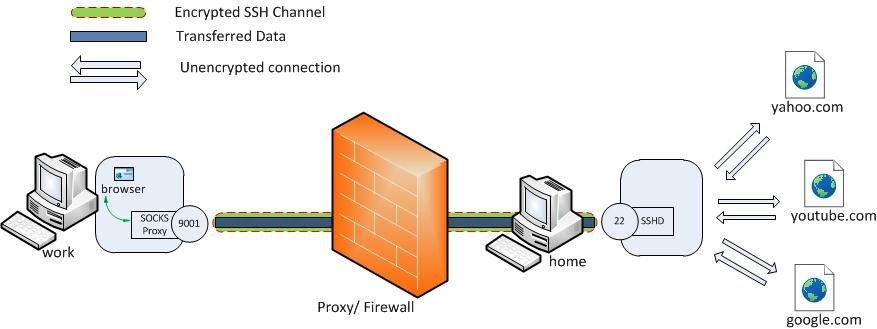
The purpose of this setup is if you have a server that you need to access through the GUI, but is either behind a firewall or unreachable directly. In case you have a server that you have ssh access to which can also access the target server, you can utilize it as a jump server to relay the communication to the destination server.
Dynamic port forwarding allows you to create a socket on the local (ssh client) machine which acts as a SOCKS proxy server. When a client connects to this port the connection is forwarded to the remote (ssh server) machine, which is then forwarded to a dynamic port on the destination machine.
This way, all the applications using the SOCKS proxy will connect to the SSH server and the server will forward all the traffic to its actual destination.
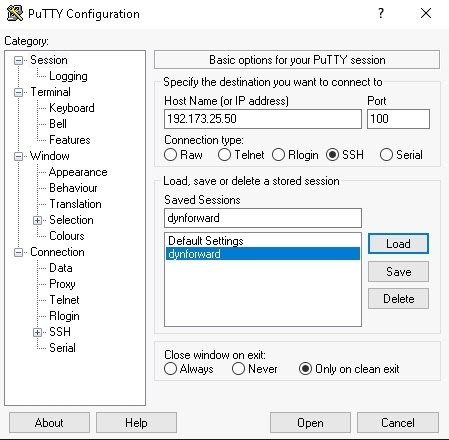
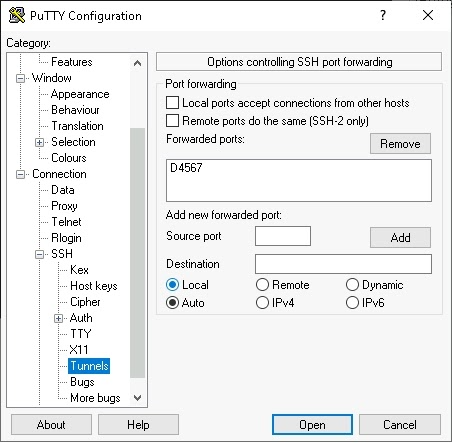
Using PuTTY you first need to establish a ssh connection with the jump server but also configure the dynamic port tunneling between your client and the jump server.
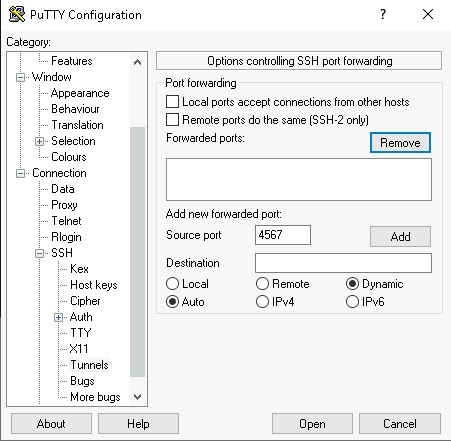
Next, you need to configure your browser to utilize the newly created SOCKs as a proxy.
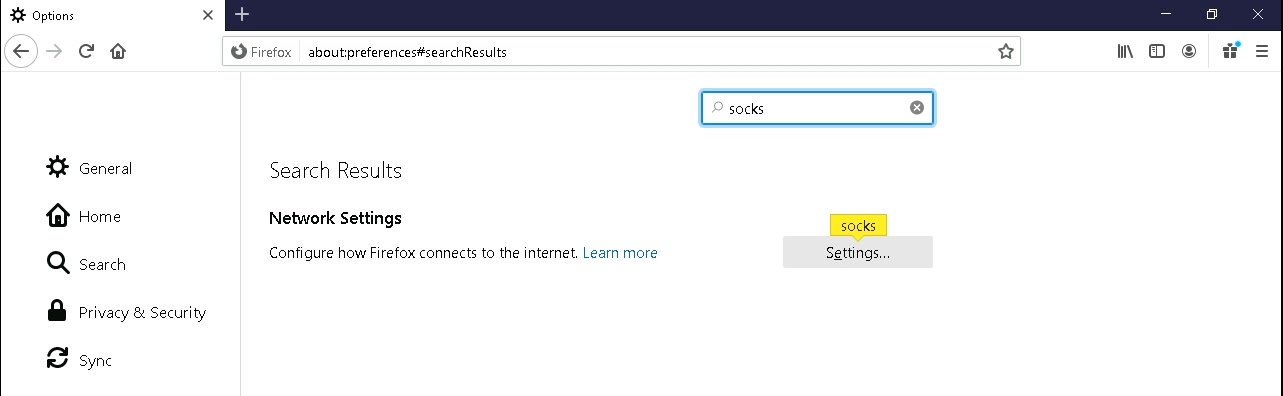
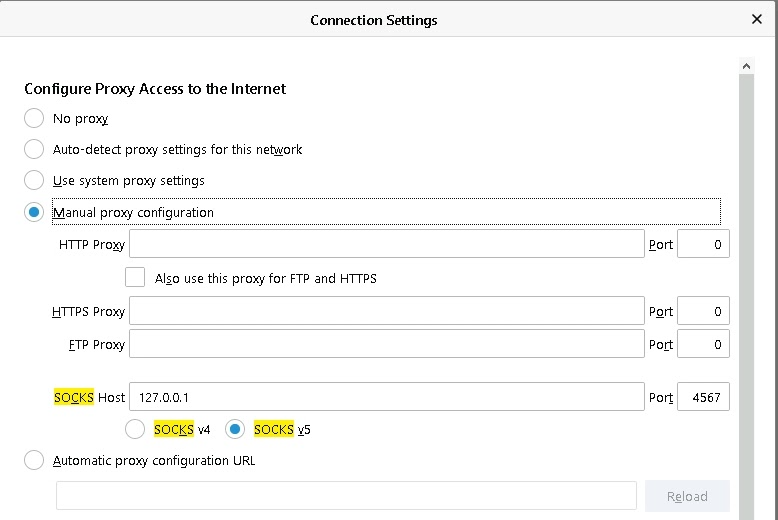
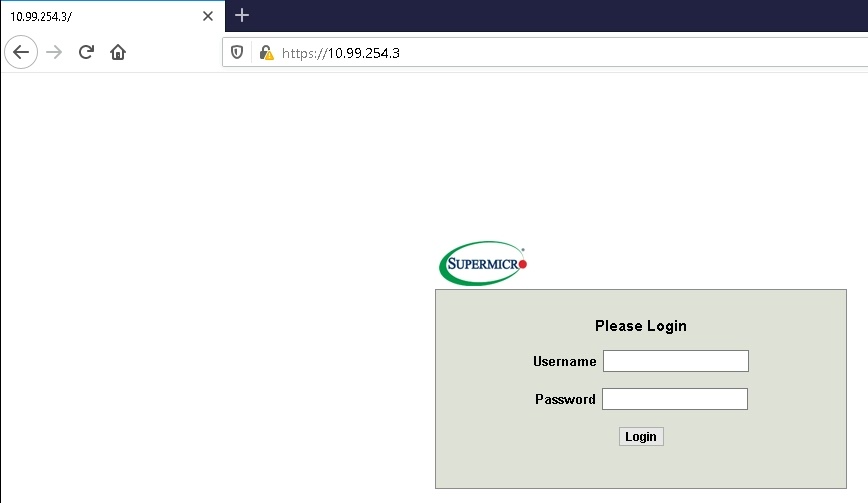
Once that is configured, you should be able to access the destination location through the browser.
For Firefox users, you can add a plugin called FoxyProxy, which after configuration, allows you to switch proxies with 2 clicks from the addon bar.
For *nix based systems, the procedure would be to connect to the jump server as follows:
adnan@zbook:~$ ssh -C -D 4567 adnan@193.93.153.138 -p2020
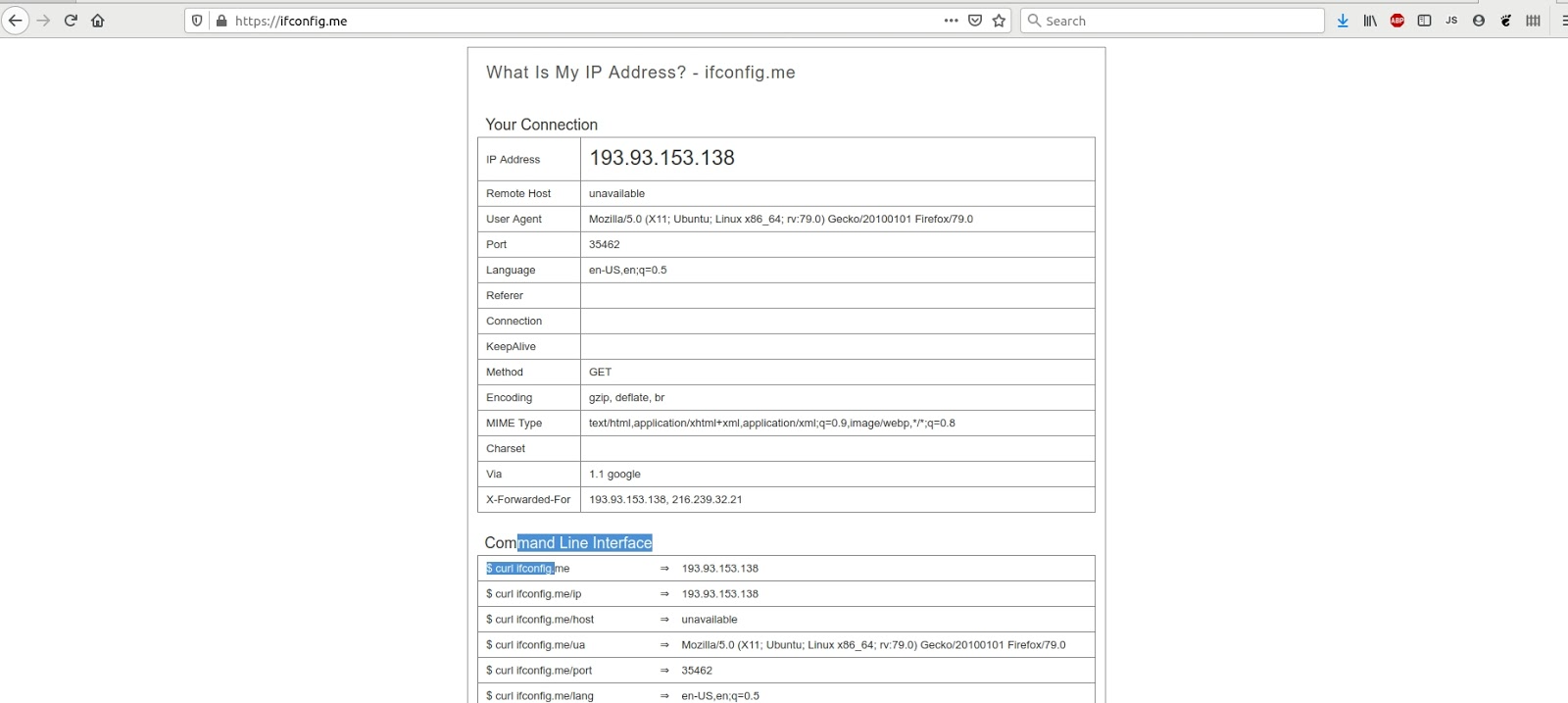
This creates a socket on port 4567 for your browser and will use 193.93.153.138 as a proxy for connections. Once your browser is configured with SOCKs proxy, all outgoing browser connections would appear to come from your jump server.