
As per this guide, Technical Support performs minor updates (free of charge) on PBXware-hosted servers. The process is as follows:
1. Create a clone on the SERVERware hosted platform (more details on how to create a clone are described here)
2. Check if there are custom patches on the server:
cd /opt/pbxware
# Sitemanager
find pw/gui/admin | grep .php$ | xargs head -n2 | grep "PBXware v[3456]." | sort | uniq
# PBXware
find pw/pbxware | grep .php$ | xargs head -n2 | grep "PBXware v[3456]." | sort | uniq
#CRM
find pw/home/crmiservice | grep .php$ | xargs head -n2 | grep "PBXware v[3456]." | sort | uniq
The output will look something like:
In case there is a custom patch, it would be shown in the brackets, e.g. release/6.7.8-custom-crm-patch.
In case there is a custom patch, we need to verify if it is still custom or a part of the official release; If the patch is still custom, we would need to apply it again after the update.
For older versions, we can find the commits on the following URL:
http://downloads.bicomsystems.com/changelog/
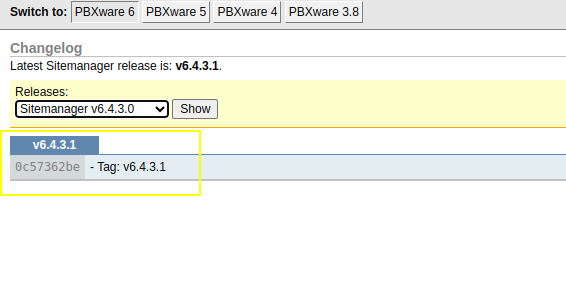
If the tag for the version in question matches the one from the PBXware output - there are no custom patches.
3. Verify the number of Online extensions to ensure there is the same number after the update.
4. Change the project to the latest version by editing the files:
nano /opt/pbxware/sh/update

nano /opt/httpd/sh/update
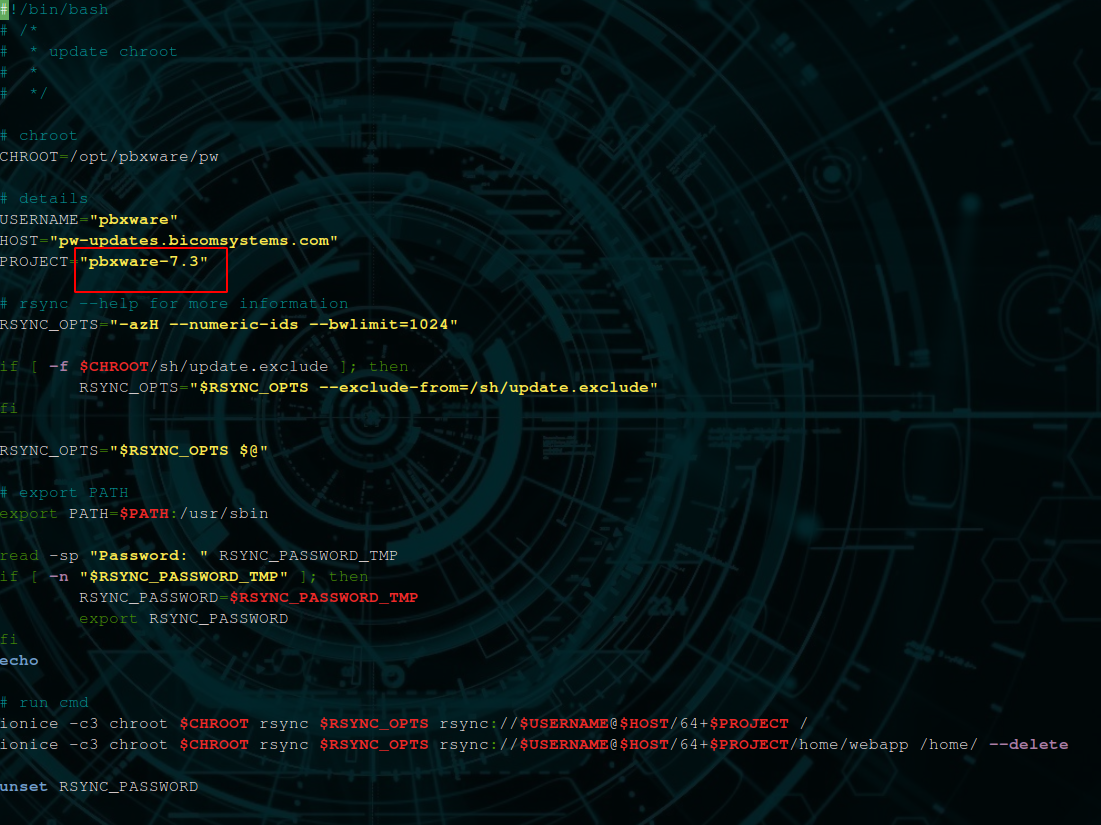
For example, if it is pbxware-7.2 here, we would change it to pbxware-7.3.
4. Stop the services
/opt/pbxware/sh/stop

/opt/httpd/sh/stop
5. Update the server:
/opt/pbxware/sh/update -vvv

/opt/httpd/sh/update -vvv
6. Start the services
/opt/httpd/sh/start

/opt/pbxware/sh/pbxware dstart
# password="update" for both
7. Run the commands:
/opt/pbxware/sh/pbxware http_api resave

/opt/pbxware/sh/asterisk -rx 'restart now'
8. After the server is updated and started verify the following:
- The number of Online extensions should match the state before the update
- Old CDRs are present in GUI and new CDRs are generated
- Local outbound calls and calls via trunk work properly
- Inbound calls work properly.