TABLE OF CONTENTS
This guide contains information on how to obtain data from the host when the VPS is inaccessible.
Processes
Execute the following command on the host where the VPS is running, replacing <VPS_name> with the corresponding VPS name.
ps fax | grep -b100 <VPS_name>
FlameGraph
To install FlameGraph on the host / VM machine, execute the following command:
git clone https://github.com/brendangregg/FlameGraph
When FlameGraph is installed on the HOST, we can examine performance using the following procedure.
NOTE: In case it is necessary to capture the flamegraph on a VM machine, only Step 3 should be used only with the Asterisk PID.
1. Obtain the LXC Container's PID:
- Replace
<VPS_name>with the name of the VPS.
lxc-info -n <VPS_name>
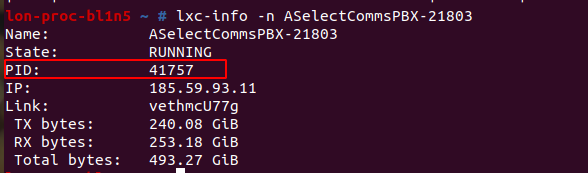
PID = 41757
2. Obtain the Asterisk Process PID:
- Replace
<PID>with the PID of the LXC container obtained in step 1.
ps --ppid <PID> -o pid,comm | grep asterisk

PID-OF-ASTERISK-ON-HOST = 58241
3. Generate the FlameGraph Data:
Use the following commands, replacing
PID-OF-ASTERISK-ON-HOSTwith the Asterisk process PID obtained in step 2 (PID-OF-ASTERISK-ON-HOST -> 58241):perf record -F 99 -g -p PID-OF-ASTERISK-ON-HOST -- sleep 10 perf script | ./stackcollapse-perf.pl > out.perf-folded cat out.perf-folded | ./flamegraph.pl > perf-kernel.svg
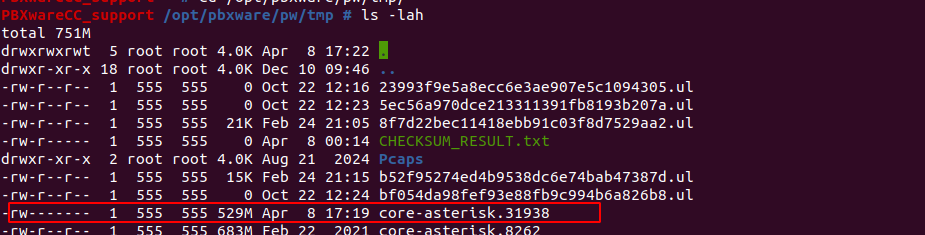
Three files will be generated under the host:
- perf.data
- out.perf-folded
- perf-kernel.svg
Procedure for Killing a Process in an Inaccessible VPS
- SSH to the HOST and find the PID of the LXC Container:
- Use the following command to determine the PID of the VPS:
lxc-info -n <vps_name> - Replace
<vps_name>with the actual name of the VPS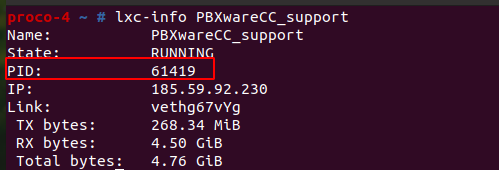
- Use the following command to determine the PID of the VPS:
Enter the LXC Container's Namespace:
Execute the
nsentercommand with the VPS's PID to enter its namespace:nsenter -t <PID> -m -u -i -n -p top- Replace
<pid>with the PID obtained in Step 1
Sort Processes by Memory Usage:
- Within the
topinterface, pressSHIFT + Mto sort the running processes by memory consumption.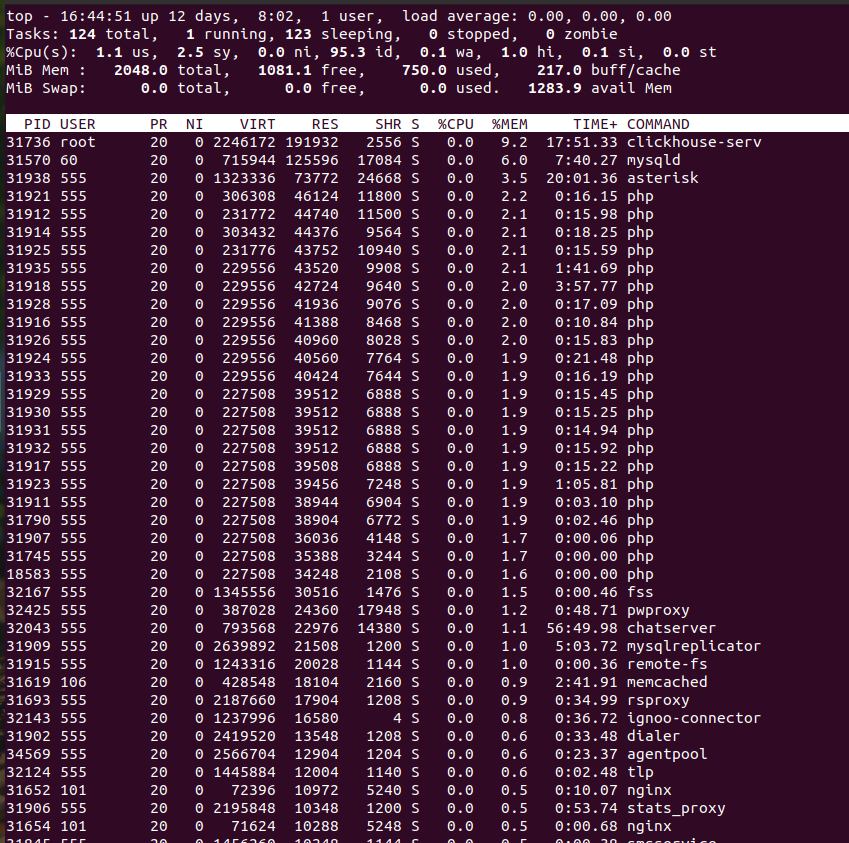
- Within the
Send a Signal to the Process:
- Press the
kkey. - Enter the PID of the process you wish to terminate (asterisk PID is usually used, however, any process can be terminated in the same way, depending on which process is using the most CPU).
- Enter the signal number. (For a core dump, use signal number 6 (SIGABRT)).
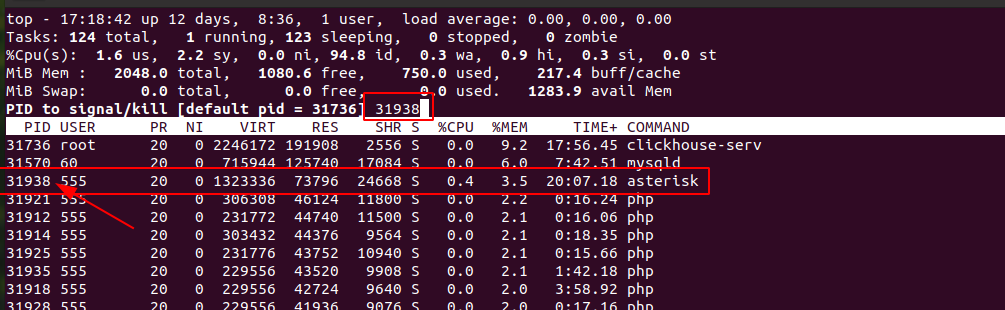
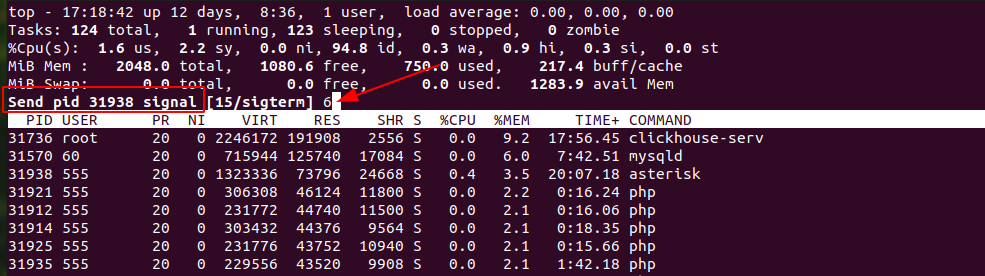
- Press the
Locate the Core Dump File:
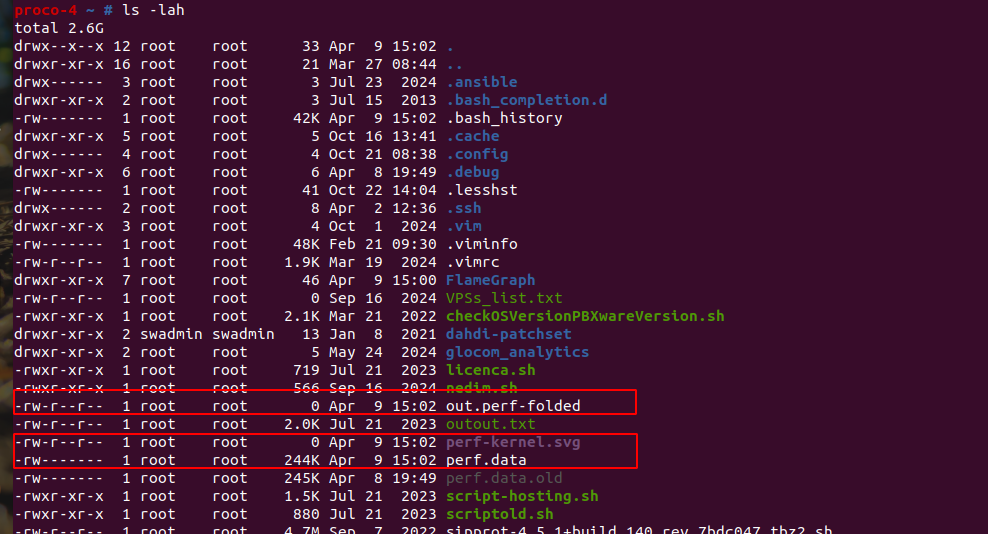
The core dump file will be located in the
/opt/pbxware/pw/tmp/directory.The file will be named in the following format:
core-<process_name>.<process_pid><process_pid>represents the PID of the process that was killed usingtop, which will be different from the container's PID obtained usinglxc-info.