Ray Baum’s Act emphasizes the importance of making dispatchable location information from all 911 calls available to PSAPs, regardless of the technological platform used. The FCC states “dispatchable location means a location delivered to the public safety answering point (PSAP) with a 911 call that consists of the validated street address of the calling party, plus additional information such as suite, apartment or similar information.”*
To comply with Ray Baum’s Act, PBXware must send location information inside the SIP message when an emergency number is dialed. Right now we have the “Location” field on the PBXware Extensions page where administrators can enter a Geolocation URL for each MAC address. Then, when a call is made, the User Agent’s MAC address is looked up and its Location URL is sent via Geolocation SIP Header. This solves the issue with fixed devices but does not solve the issue with laptops or mobile phones that have softphone applications installed (gloCOM). The location of users using gloCOM can change any time so a fixed Geolocation URL does not work here.
For the full guide on how to setup Ray Baum in PBXware v7.1 please refer to this article.
In case PIDF-LO is not sent as expected, please check the following:
1. The emergency number must be set under the Tenant settings as an emergency service. A special route that is set as an emergency route will not work and it MUST be the emergency number under the Tenant. 933 or other type of test emergency number can be used to avoid calling 911.
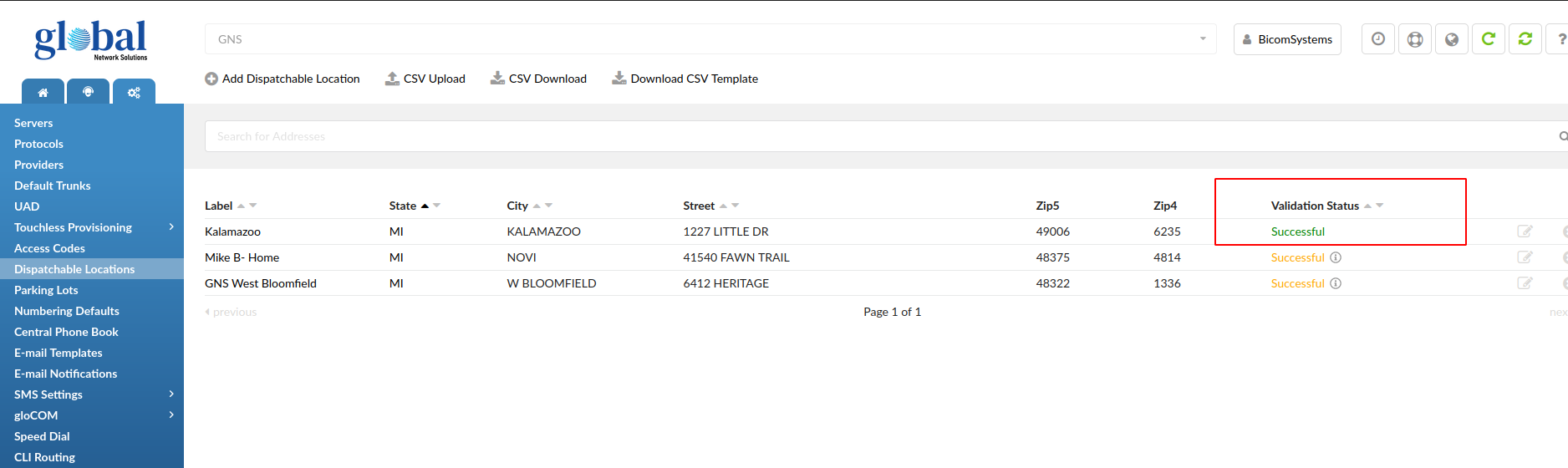
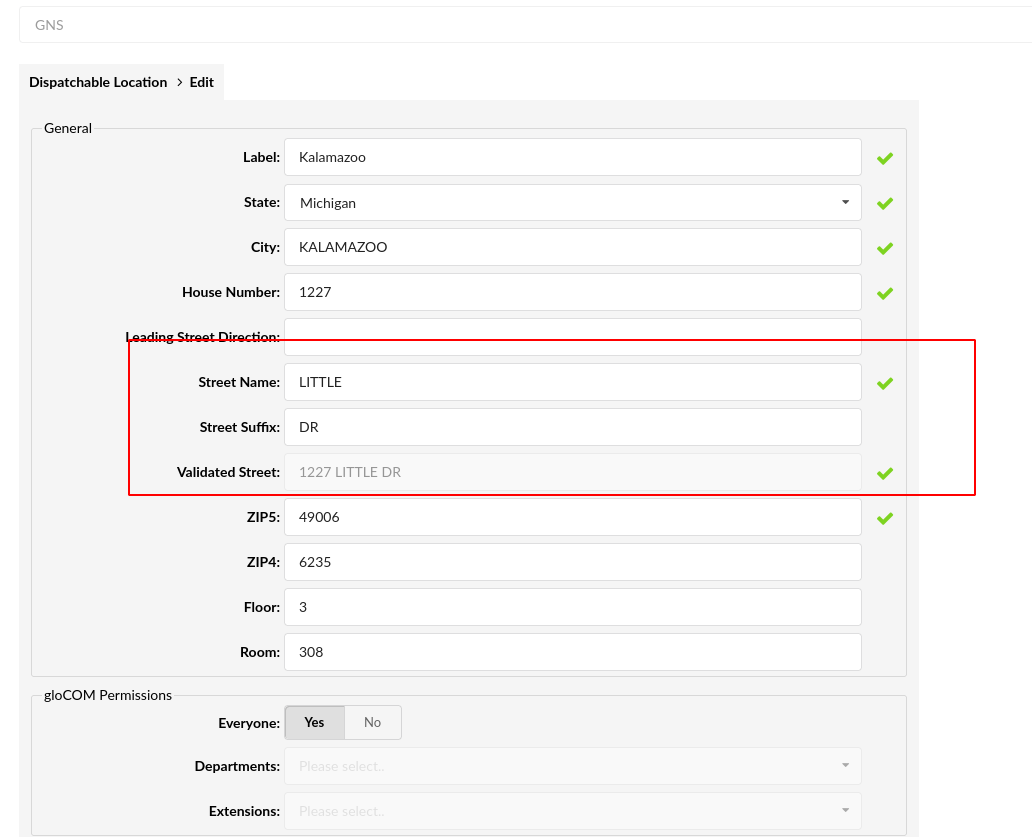
2. The address added under the dispatchable location must be green (fully verified). Otherwise, PIDF-LO will be sent empty. This is a sensitive field and each part needs to be set precisely (suffix, street name, etc.)
3. Make sure that you are checking the second leg (to trunk provider) when looking for XML details that contain PIDF-LO.
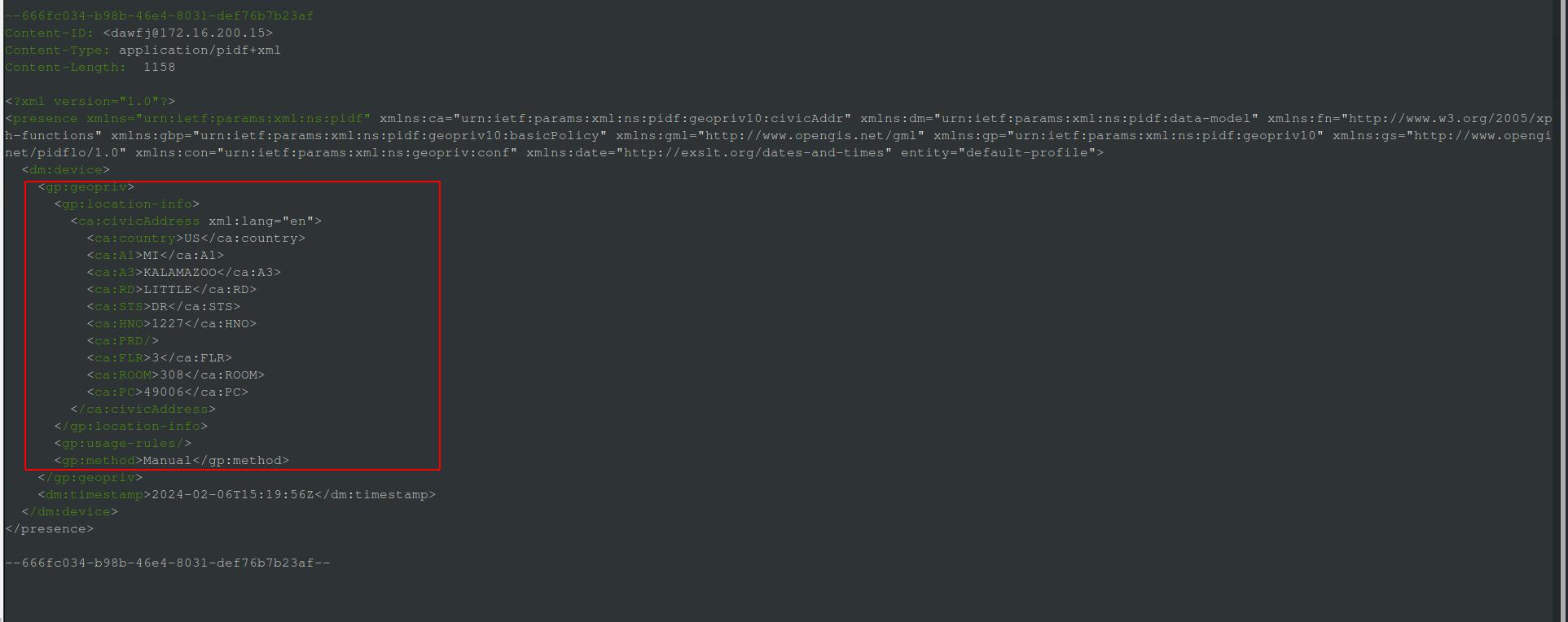
4. Ensure that all legs are present (TCP/UDP used instead of TLS).
Database query examples
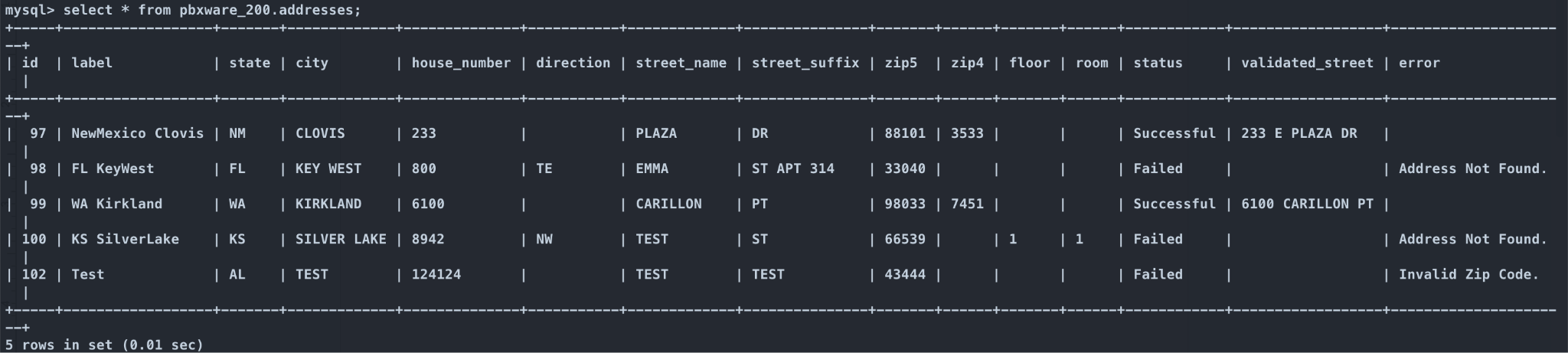
All addresses can be found in pbxware_XXX.addresses table:
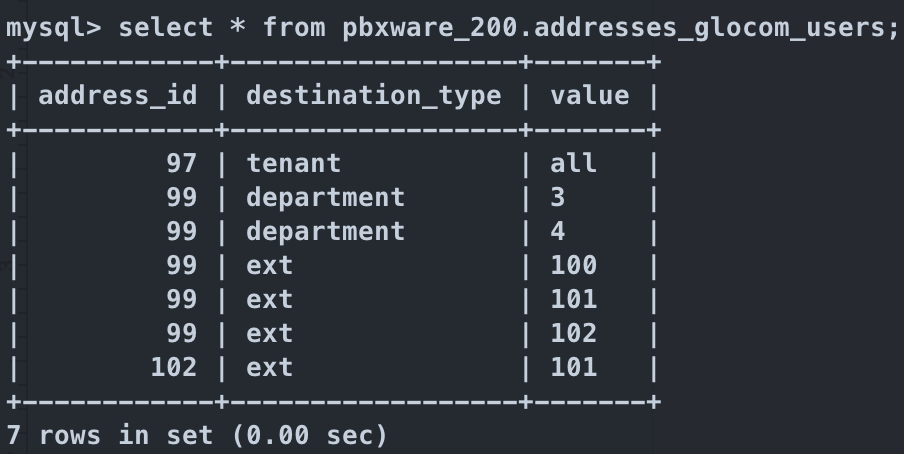
gloCOM Permissions per each address can be found in pbxware_XXX.addresses_glocom_users table :
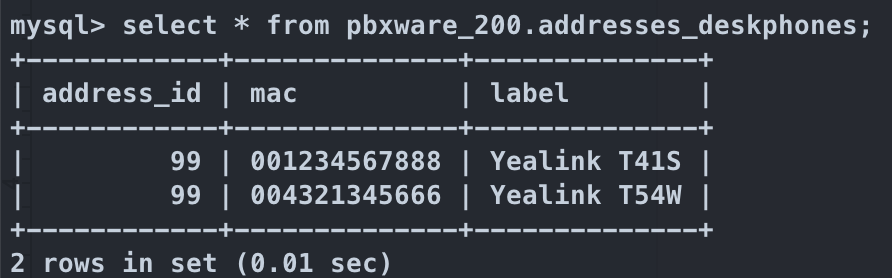
MAC addresses that are associated with each address can be found in pbxware_XXX.addresses_deskphones table: