
Jira Collector are used for the following scenarios:
- To report a bug to the Development team
- To create a Feature request for the Development team
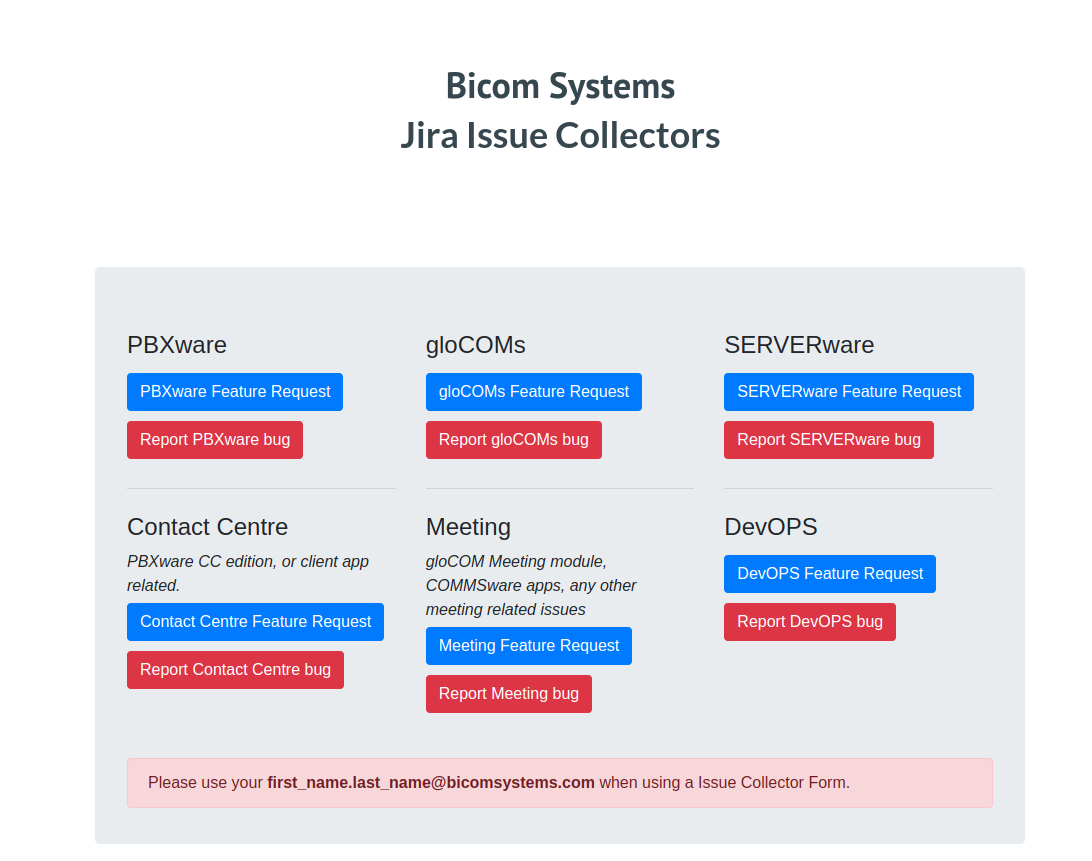
Bug report
Within the Collector, we choose a Bug Report depending on the product. For example, if we choose 'Report PBXware bug', we will be prompted as follows:
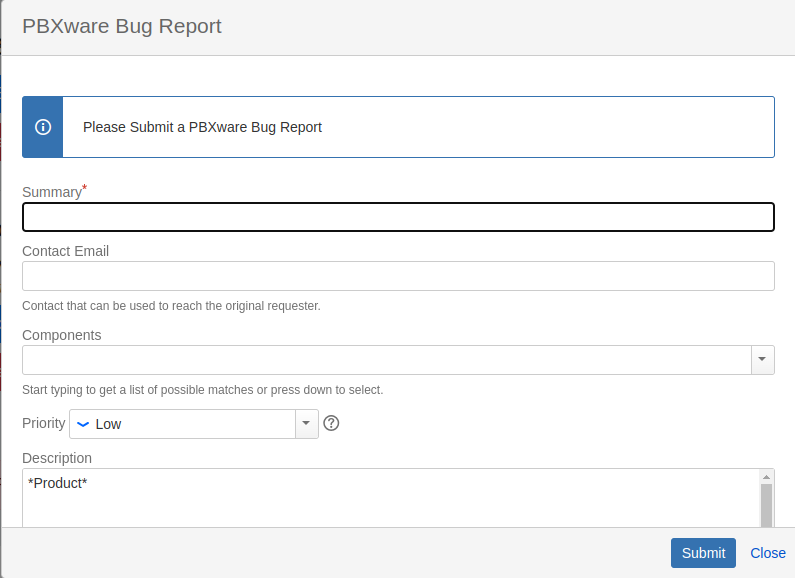
Summary - This section should include the bug title along with the ticket number. For example 'Issue with IVR greeting #12345'. The Summary in this example includes the keywords for the issue in question and the ticket number. If the bug report originates from a Company/Partner within the 'Premium' group, the summary should also contain the [PREMIUM] tag. An example of a premium request summary would be '[PREMIUM] Issue with IVR greeting #12345'.
Contact Email - This section should include the customer's e-mail address. This refers to the customer who initially reported the issue.
Components - Can be skipped.
Priority - Leave the default one [Low], unless it is an urgent request requiring the [High] priority.
Description - This section should include a detailed explanation of the issue in question, the PBXware version and edition, and details on how to replicate the issue.
Furthermore, the description should include the 'Original reporter' field where we would add the issue reporter and the company they belong to.
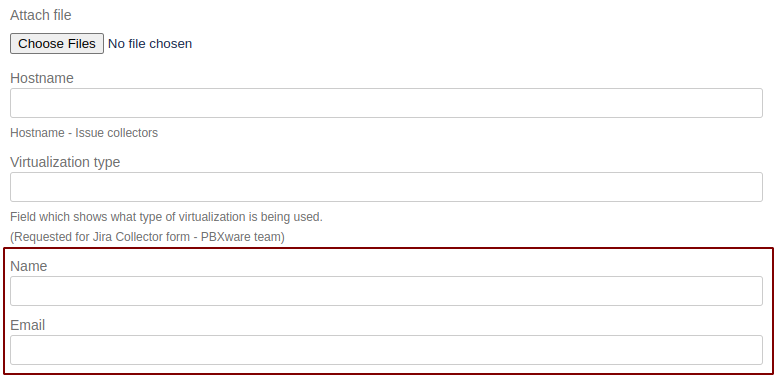
Attach file - If there are PCAPs, log files, or images related to the issue.
Hostname - For easier tracking of systems where certain issues are located, we should put the Hostname/IP of the system where the issue was initially discovered.
Virtualization type - For easier tracking of how many systems on SERVERware experience certain issues compared to Standalone instances, we should enter 'VPS', 'Hosted VPS', or 'Standalone' in this section.
Name and Email sections MUST be filled. If these sections are not filled, the task is automatically created under 'Ivan Sovic' and not the engineer who created the request.
Feature request
When a customer wants a certain feature that is not available on PBXware/SERVERware/Communicator, we instruct the customer to create a Feature Request.
Once the ticket is received as a Feature Request, we create a Jira task for the Development team by selecting the Feature request field within the Collector.
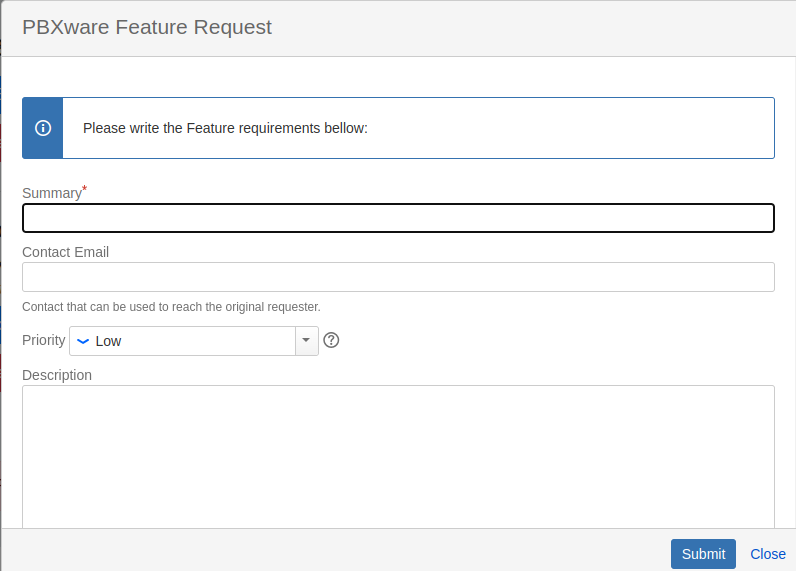
Summary - This section should include the feature title along with the ticket number. For example 'Additional IVR Statistics #12345'. The Summary in this example includes the keywords for the issue in question and the ticket number. If the feature report originates from a Company/Partner within the 'Premium' group, the summary should also contain the [PREMIUM] tag. An example of a premium request summary would be '[PREMIUM] Additional IVR Statistics #12345'.
Contact Email - This section should include the customer's e-mail address. This refers to the customer who initially reported the issue.
Priority - Leave the default one [Low], unless it is an urgent request requiring the [High] priority.
Description - The feature description should include the following fields: Feature Requirements and Importance for the Business and Use Case.
Furthermore, the description should include the 'Original reporter' field where we would add the issue reporter and the company they belong to.
Name and Email sections MUST be filled. If these sections are not filled, the task is automatically created under 'Ivan Sovic' and not the engineer who created the request.
NOTE: When submitting a Feature Request, we must read the request carefully and determine if the request is detailed enough. We MUST understand the request and what is being asked for. If some details are missing or questions need to be answered, we must obtain all the relevant information before creating a task for the Development team.
Once the request is created on Jira, we need to link the task to the ticket where the bug was reported or a new feature requested.
As per the screenshot below, we edit the ticket in question, navigate to the right corner, and under the 'ATLASSIAN JIRA PLUS' tab, we choose Link issues -> Search by ID -> Enter the task ID.
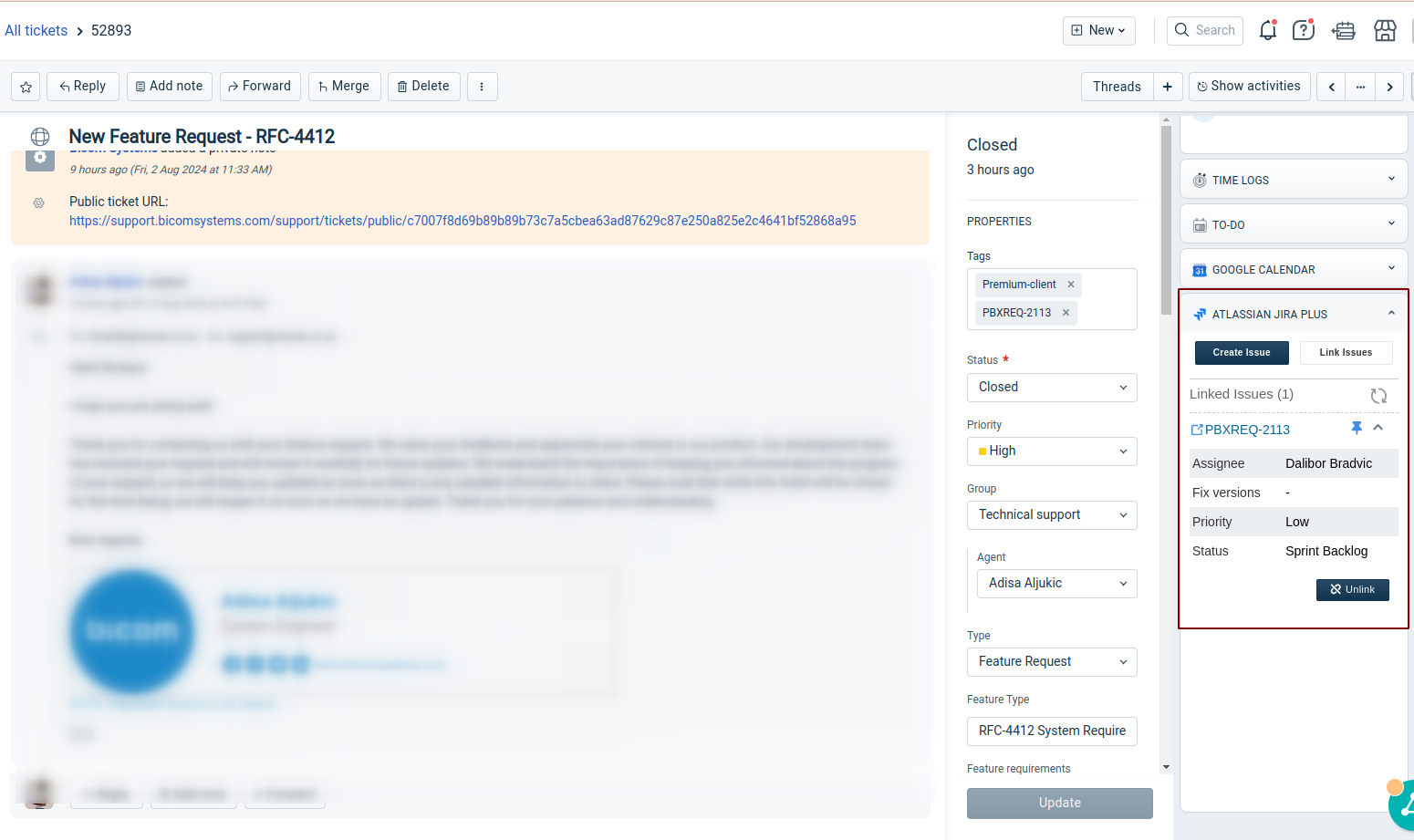
Task ID is obtained as follows:
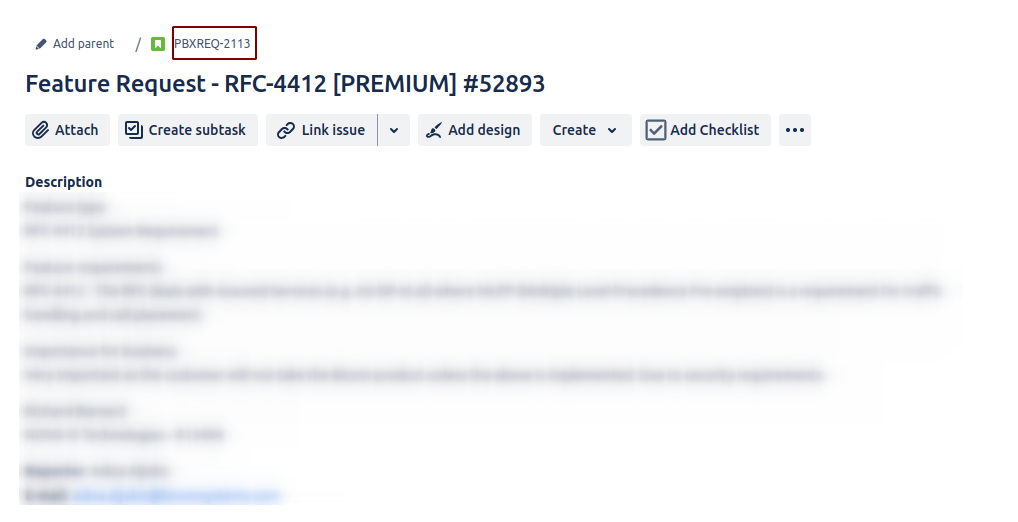
After the task has been created and linked to the ticket, we send one of the canned responses for the Bug report/Feature request and change the ticket status accordingly.
Once there is a comment on the Jira task, we get the update on the linked ticket, so we can track progress on each ticket.