
In case when for some reason after performing an update there is a following issue shown in Setup wizard:
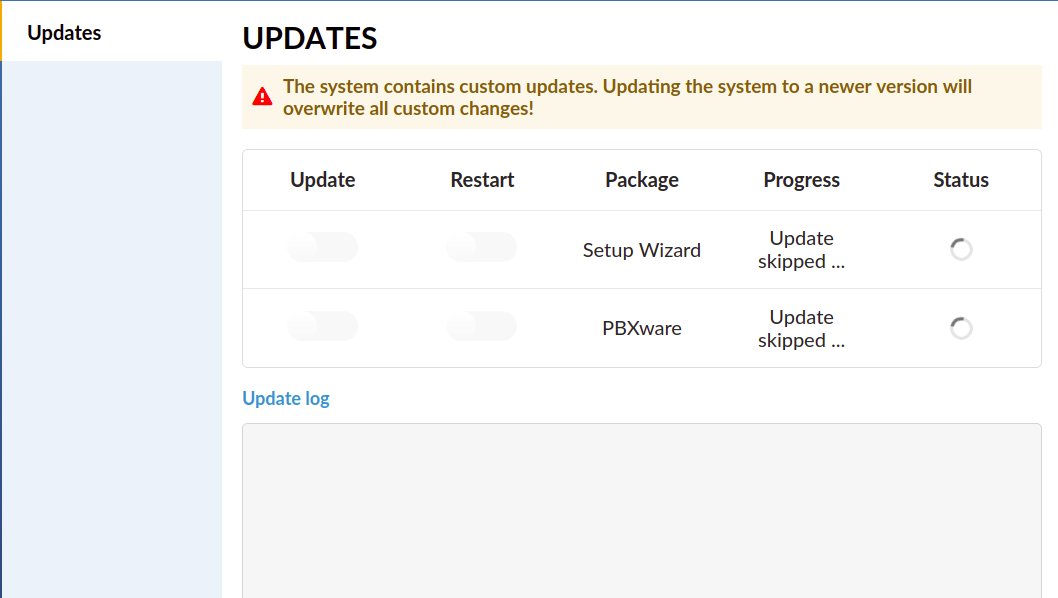
In my case, the customer reported this issue when they attempted to update from v7.2 to v7.3 via the Setup wizard, but the update failed. The system remained on version 7.2, but the update page was stuck on the same screen. However, after I successfully updated the system from the backend, the Update page continued to display the same status.
To resolve this, SSH into the system and check if there are any files in the /tmp folder:
PBXMT01 /tmp # ls -lah
total 8.0K
drwxrwxrwt 4 root root 140 Nov 1 03:03 .
drwxr-xr-x 20 root root 4.0K Oct 31 04:59 ..
drwxrwxrwt 2 root root 40 Oct 31 04:59 .ICE-unix
drwxrwxrwt 2 root root 40 Oct 31 04:59 .X11-unix
srw-rw---- 1 nobody nobody 0 Nov 1 03:03 php-fpm.sock
-rw-r--r-- 1 root root 0 Oct 31 05:02 update-in-progress
-rw-r--r-- 1 root root 35 Oct 31 05:02 update-snapshot-log
In my case I had this and after deleting update-in-progress and update-snapshot-logs files the issue was resolved.